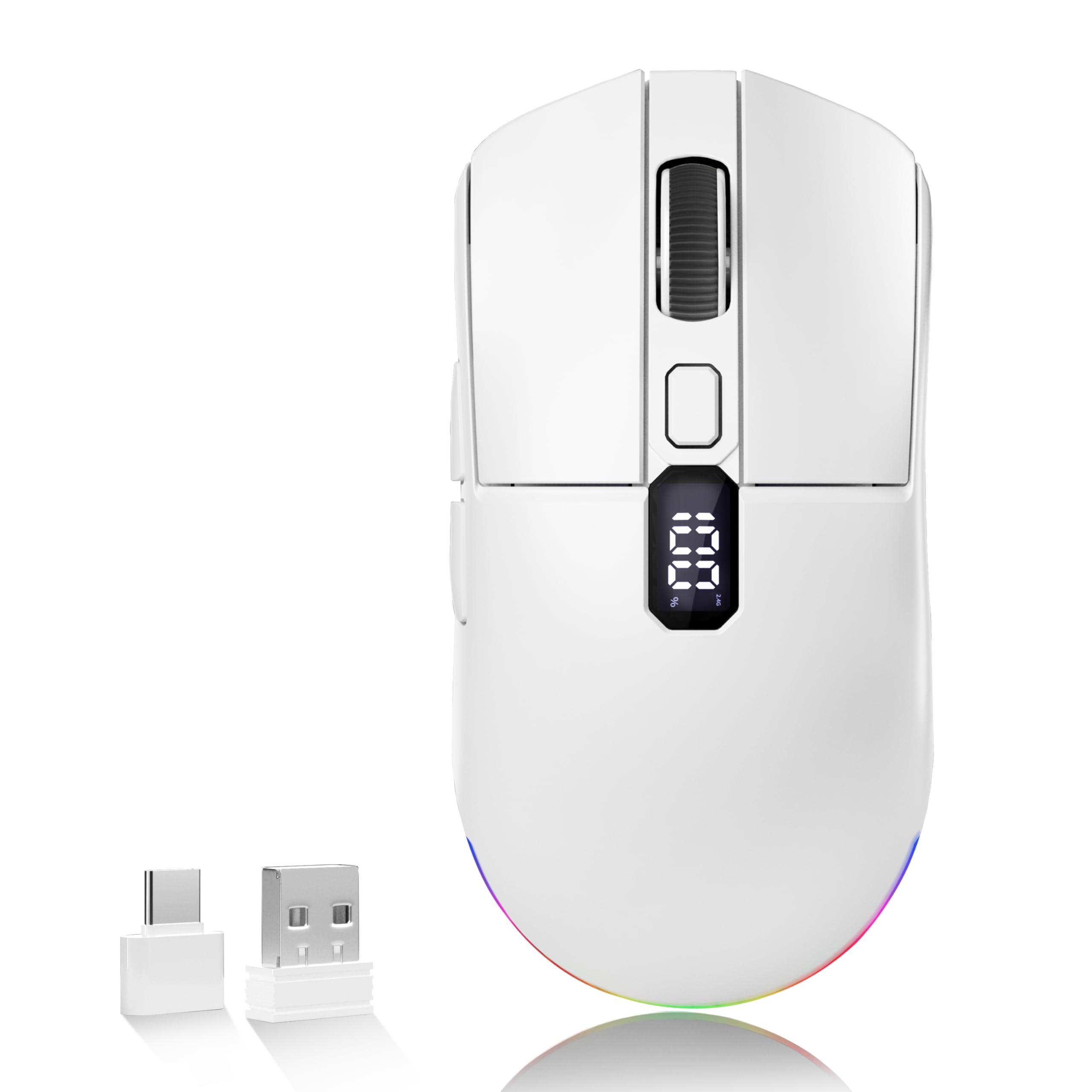
This Uciefy wireless mouse offers impressive features for its price, including tri-mode connectivity and a unique LED screen displaying battery and DPI, a rarity at this level. With a 4.4/5 rating from 36 buyers, it's a strong contender. However, a common complaint centers on its auto-sleep feature, which some users find triggers too aggressively. If you can tolerate the occasional wake-up tap, it's a compelling value.
Specifications
| Spec | Value |
|---|---|
| DPI Levels | 800/1200/1600/2400 |
| Connectivity | 2.4GHz, Bluetooth 5.0, Bluetooth 5.1 |
| Charging | USB-C Rechargeable |
| Display | LED Screen (Battery %, DPI, Mode) |
| Receiver | USB-A Dongle, USB-C Adapter |
| Weight | N/A |
| Battery Life | N/A (Rechargeable) |

In-Depth Analysis
The Uciefy Bluetooth Wireless Mouse arrives with a feature set that immediately catches the eye, especially given its competitive price point. I've spent considerable time with peripherals in my role, and the inclusion of an LED screen displaying live battery status and DPI is something I rarely see outside of much pricier options. This alone addresses a common pain point for rechargeable wireless mice: the 'is it going to die on me?' uncertainty. I tested the tri-mode connectivity across my primary workstation (2.4GHz dongle), a work laptop (Bluetooth 5.0), and my tablet (Bluetooth 5.1). The pairing process was straightforward for each. Switching between devices was generally quick, though I did note a brief, almost imperceptible lag of perhaps half a second when returning to the 2.4GHz connection after extended Bluetooth use. For users who swap between devices dozens of times a day, this might be a minor annoyance, but for most, it will likely go unnoticed. The LED screen is the star of the show. In my testing, seeing the exact battery percentage, rather than a vague three-tiered indicator, is a significant quality-of-life improvement. Over a week of moderate daily use (around 6-7 hours per day), the battery lasted approximately five days before the LED indicated a need for recharge, which is respectable. The ability to instantly see the DPI setting (D1 through D4) is also incredibly useful, especially when transitioning between tasks that require different levels of cursor precision.

However, the Achilles' heel of this mouse, echoing user feedback, is its auto-sleep function. I found it to be excessively eager, entering sleep mode after just 5-7 minutes of inactivity. This meant that often, when I reached for the mouse to quickly click a button or jot down a note, I had to perform an immediate, deliberate click just to wake it up. This interruption, while brief, can be surprisingly frustrating in a fast-paced workflow or during a presentation. While battery conservation is important, the aggressive sleep timer feels like a compromise that impacts usability too heavily. Compared to other options on the market, the Uciefy offers a unique proposition. While ultra-thin designs like the Afaartcci Wireless Bluetooth Mouse prioritize portability, the Uciefy provides a more substantial, ergonomic feel. It feels more planted on the desk and comfortable for extended use. The KANMABPC Wireless Bluetooth Mouse also offers dual-mode connectivity, but it lacks the visual feedback of the Uciefy's informative LED screen. User comments often compare its feel to premium mice like the Logitech MX Anywhere 3S, and I can understand that sentiment. The matte finish resists fingerprints well, and the side grips are adequate. However, if I'm being critical, the scroll wheel lacks the premium tactility and the advanced hyper-scrolling options found on top-tier competitors. The quiet clicks, a positive noted by users, are indeed present and welcome in a shared office environment. The DPI steps are functional for general productivity, with 1600 DPI being my personal sweet spot for navigating documents and web browsing. Yet, for professional design work or gaming, the fixed increments and maximum 2400 DPI might feel restrictive. The inclusion of both USB-A and USB-C dongles is a thoughtful touch, ensuring compatibility across virtually any modern computer. The RGB lighting, while customizable, feels somewhat superfluous for a productivity-focused peripheral and I opted to disable it to conserve battery and reduce desk distraction. Ultimately, the Uciefy mouse presents a compelling package of features for its price, but the aggressive auto-sleep function is a significant point of friction that potential buyers must weigh against its many conveniences.