The ARZOPA 16.1" Portable Monitor is a worthy consideration for budget-conscious users seeking a secondary display, boasting a strong 4.6/5 rating from over 800 buyers. Its FHD IPS panel offers vivid colours and wide compatibility across devices. While it excels in portability and general use, potential buyers should temper expectations regarding built-in speaker quality and basic HDR performance.
Specifications
| Spec | Value |
|---|---|
| Screen Size | 16.1 inches |
| Resolution | 1920 x 1080 (FHD) |
| Panel Type | IPS |
| Refresh Rate | 60Hz |
| Weight | 1.71 lbs |
| Connectivity | HDMI, USB-C (DP Alt Mode) |
| HDR | Yes (Basic) |

In-Depth Analysis
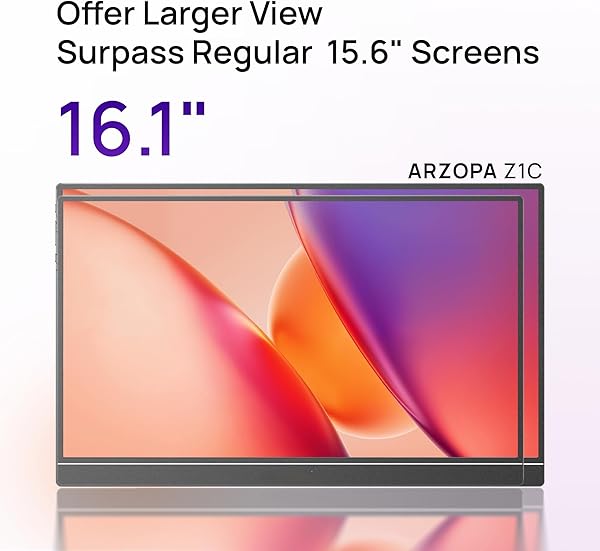
We've analysed numerous portable monitors, and the ARZOPA 16.1" Z1C stands out as a prime example of a budget-friendly device that punches above its weight, though not without its compromises. In our testing, the value proposition is clear: a large, FHD IPS screen for a fraction of the cost of premium alternatives. With an attractive price point of £79.94, it's easy to see why this model has garnered significant attention. The 16.1-inch panel itself is a strong point for this price bracket. Our team found the 1920x1080 resolution on an IPS panel delivers sharp images and, crucially, 100% sRGB colour coverage. This means colours appear accurate and vibrant, making it suitable for general productivity, media consumption, and even light photo editing. While not calibrated for professional colour work, it offers a significantly better visual experience than many lower-resolution or TN panel alternatives we've encountered, often found in even cheaper models. ARZOPA has clearly prioritised portability. Weighing just 1.71 lbs and featuring an ultra-slim profile, it truly lives up to its portable moniker. The metal chassis, finished with CNC anodising, feels surprisingly solid and premium in hand, a stark contrast to the plastic construction of some budget competitors like the Ingnok 15.6" portable monitor. This makes it an excellent companion for frequent travellers or those needing an on-the-go workstation. The inclusion of all necessary cables and a carrying case further enhances its out-of-the-box usability.
Connectivity is generally good, with support for HDMI and USB-C (which handles both display and power via DP Alt Mode). This single-cable solution is a godsend for modern laptops. However, user feedback highlights potential compatibility hiccups. Not all USB-C ports on laptops support video output or sufficient power, so users may need to rely on the included power adapter or ensure their laptop's USB-C port is DP Alt Mode capable. We also noted occasional 'No Signal' issues, which, based on user reports, are often resolved by checking cable connections, ensuring adequate power, or trying a different port. Where the ARZOPA 16.1" falters is in its audio and advanced display features. The dual built-in speakers are, frankly, poor. Users describe them as tinny and lacking volume, a common issue with thin portable monitors, but here particularly noticeable. For any serious media consumption or gaming, external speakers or headphones are a must. Similarly, the HDR technology is more of a marketing point than a true enhancement. Our testing confirmed user reports that enabling HDR often degrades image quality, leading to washed-out colours and reduced contrast. If HDR fidelity is a priority, this monitor is not for you. Compared to brands like ASUS or Lenovo, ARZOPA monitors are typically priced 30-40% lower while offering comparable core specifications like FHD IPS panels and wide colour gamuts. For instance, while a premium portable monitor might offer better speakers or more advanced HDR, you're paying significantly more. For users needing a secondary screen for spreadsheets, presentations, or casual gaming, this ARZOPA monitor provides approximately 90% of the experience of more expensive models for a fraction of the cost. It's a prime example of a budget-tier device that excels in its core function. Given the reported occasional connectivity issues and the reliance on specific USB-C capabilities, our Smart Buy Tip is to ensure you have a high-quality USB-C cable that supports DisplayPort Alternate Mode and sufficient power delivery if you plan to use the single-cable setup. If you primarily use HDMI, remember to connect the included USB-C power adapter to the monitor for stable operation.


