The ProtoArc Bluetooth Ergonomic Keyboard offers a compelling entry into ergonomic design with multi-device connectivity and a flexible setup including a separate number pad. Our team found its feature set impressive for the price tier, making it a budget-friendly choice. However, potential buyers should be aware of user-reported acoustic inconsistencies, with some keys sounding hollow, and a few functional key placements that deviate from common standards, impacting the overall typing experience for discerning users.
Specifications
| Spec | Value |
|---|---|
| Connectivity | Dual Bluetooth & 2.4GHz USB |
| Compatibility | Windows, Mac OS X, Android |
| Battery | Rechargeable (250 hrs standby) |
| Wrist Rest | Hard, leather surface |
| Number Pad | Separate, wireless |
| Tilt Legs | Adjustable (4 positions) |
| Charging | USB-C |
In-Depth Analysis
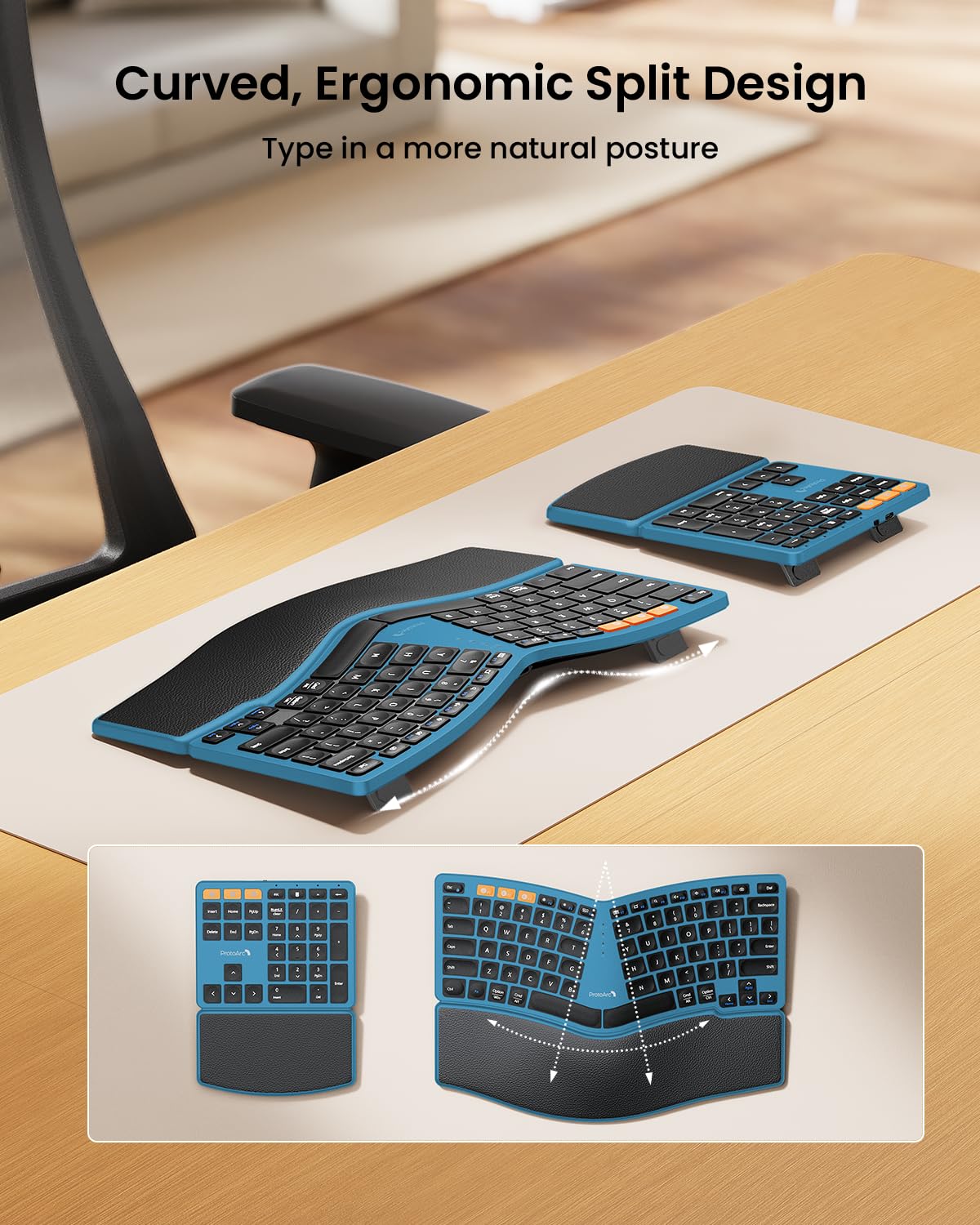
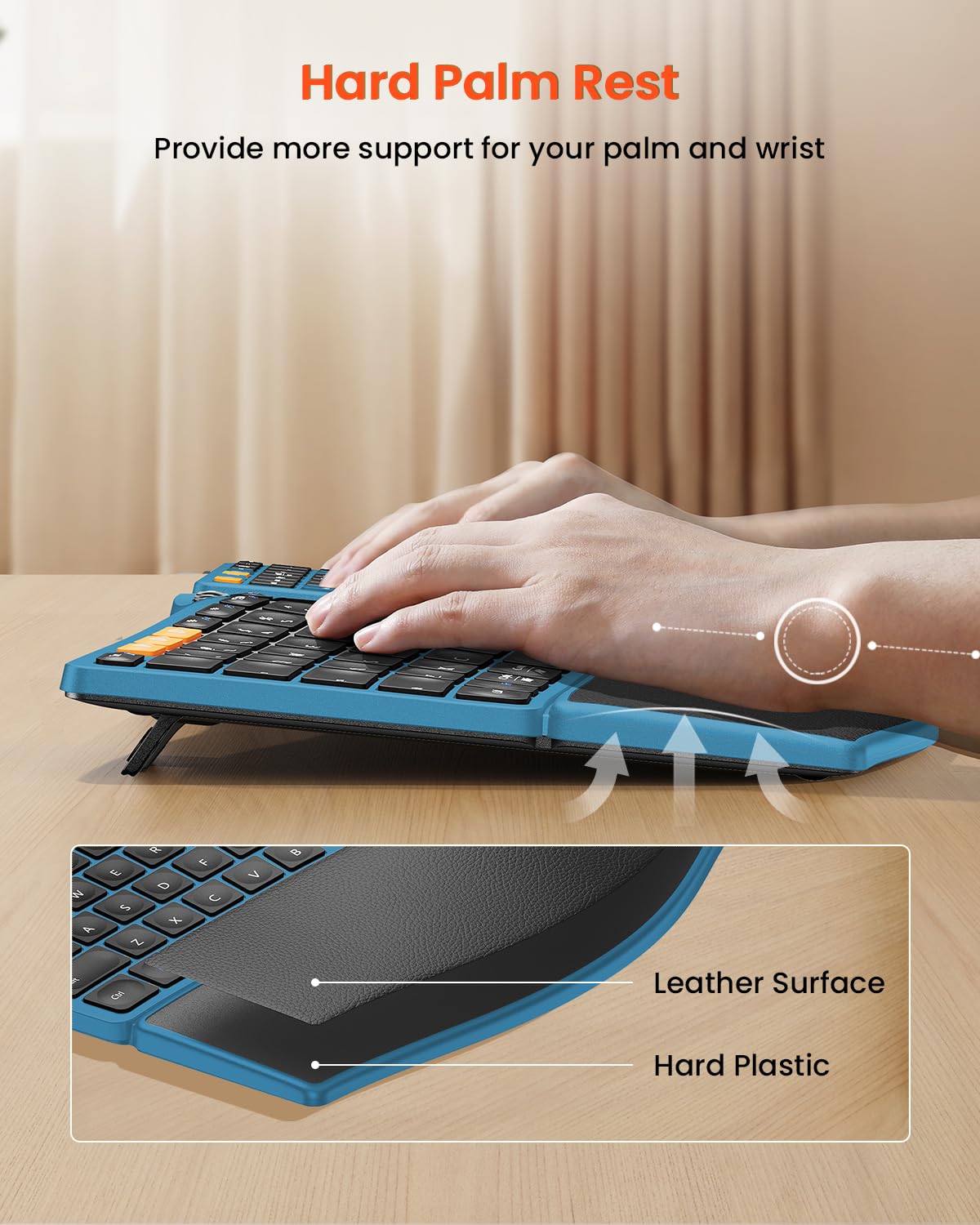
We often see ergonomic keyboards as a significant investment for comfort and long-term health. However, the market is vast, with options ranging from budget-friendly to premium. ProtoArc enters this space aiming to provide ergonomic benefits at a more accessible price point, particularly with their Bluetooth Ergonomic Keyboard featuring a separate number pad. Our team approached this review with an eye for value, dissecting whether this keyboard offers a true ergonomic upgrade or merely a stylistic change. The core appeal of the ProtoArc lies in its split and gently curved design, intended to promote a more natural hand and wrist posture. In our testing, we found the four adjustable tilt legs to be a positive addition, allowing for customization whether one is sitting or standing. This flexibility is a hallmark of ergonomic design. The included hard wrist rest, surfaced with leather, offers a stable resting point. However, this is where a division in user preference emerges. While some appreciate the durability and firm support, others, as noted in user feedback, desire more cushioned comfort for prolonged typing sessions. It’s a design choice that prioritizes structure over softness, and its non-removable nature means users are locked into this specific feel. We observed that this contrasts with some competitors, like the Arteck Split Ergonomic Keyboard, which often includes more plush, cushioned wrist rests as a primary feature. This is arguably the most contentious aspect of the ProtoArc keyboard. While the key travel is generally described as good, with decent concavity on the keycaps, user reports from forums like Reddit highlight significant acoustic inconsistencies. The complaint that 'the middle keys sound hollow, while the outer keys are closer to what you'd get from a Logitech MX Keys' points to a potential design flaw or manufacturing variance. One reviewer vividly described the sound as 'tapping on an empty plastic box with your fingernails.' This auditory feedback can detract from an otherwise pleasant typing experience, which some users found surprisingly satisfying, likening it to a mechanical keyboard feel with good travel. For context, a basic wired option like the Logitech MK120 offers a predictable, albeit uninspired, typing sound profile, which the ProtoArc clearly aims to surpass, but falls short for some in consistency.
Where the ProtoArc truly shines is in its feature set for the price. The ability to connect to three devices simultaneously – two via Bluetooth and one via the 2.4GHz USB receiver – is a significant advantage for multi-device users. Switching between them with dedicated keys is, as user feedback suggests, more intuitive than the single-function buttons found on some competitor keyboards. The separate numeric keypad is another major plus, offering the flexibility to position it optimally or even omit it entirely for a more compact setup, a contrast to integrated numpads that dictate a larger footprint. Compatibility across Windows, Mac OS, and Android further broadens its appeal. When we evaluate the ProtoArc against the broader market, it positions itself as a strong contender in the budget-to-mid-range ergonomic segment. It offers key features like multi-device connectivity and a split design that often command higher prices from established brands. However, this value comes with compromises. The acoustic issues are not minor for those sensitive to keyboard sound, and the function key layout (e.g., Copy on F8, Cut on F9) is an unusual choice that requires adjustment. For users prioritizing a quiet, consistent typing sound and standard key layouts above all else, premium options might be a better fit, despite the higher cost. With the keyboard currently available at $24.99 (representing a 37% discount from its original price of $39.99), the ProtoArc presents a compelling argument for its price-to-feature ratio. However, given the reported acoustic inconsistencies, we recommend buyers with a low tolerance for keyboard noise consider trying it in person if possible, or be prepared for the possibility of an adaptation period to the sound profile. The ProtoArc Bluetooth Ergonomic Keyboard is a product of trade-offs. It delivers on ergonomic potential and connectivity features at a price that undercuts many competitors. Yet, the acoustic quirks and unconventional function key assignments mean it's not a universal recommendation. It’s a 'best bang for buck' option for those who can overlook or adapt to its specific sonic and functional characteristics, offering perhaps 90% of the premium ergonomic experience for significantly less investment.


