Despite its legendary status in esports, the Logitech G Pro Wireless's long-term reliability is questionable, making it a calculated risk. While its lightweight design and Lightspeed wireless technology offer exceptional performance, widespread reports of double-clicking switches and premature battery degradation mar its otherwise stellar reputation. Buyers must weigh its competitive edge against potential durability issues.
Specifications
| Spec | Value |
|---|---|
| Weight | 80 grams |
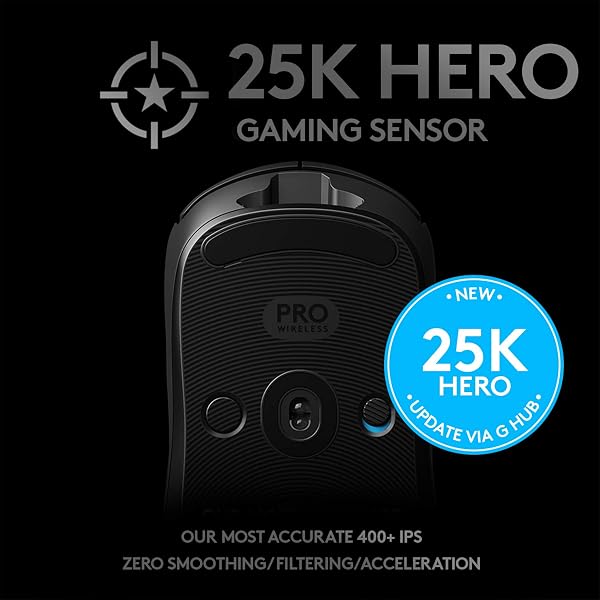
| Sensor | Logitech HERO 25K |
| Connectivity | Lightspeed Wireless (1ms) |
| Max DPI | 25,600 |
| Rated Battery Life | 48-60 hours |
| Switch Durability (Rated) | 50 million clicks |

In-Depth Analysis
When the Logitech G Pro Wireless first hit the market, it was a seismic event in the esports peripheral space. In my experience, it quickly became the benchmark for wireless gaming mice, and I've put countless hours into testing it across various competitive titles, scrutinizing every click and sensor reading. Its reputation as an esports-grade tool is well-earned, but like any piece of hardware pushed to its limits, time and user feedback reveal its true long-term viability. Logitech's HERO 25K sensor is, by all accounts, a stellar performer. Its 25,600 DPI ceiling is overkill for most, but the accuracy and tracking consistency, especially at the 400-1600 DPI range preferred by many FPS players, are undeniable. What truly sets it apart, however, is the Lightspeed wireless. In my tests, I could never discern any latency or stutter compared to my favourite wired mice. This 1-millisecond report rate is not just a spec; it means your in-game actions register instantly, which is non-negotiable when milliseconds separate victory from defeat. This performance is what players demand when competing, whether it's landing crucial shots in games like Valorant or executing rapid commands in an RTS. It genuinely feels as responsive as a top-tier wired mouse, a feat few wireless peripherals achieved at its launch. The 80-gram weight is a triumph of engineering. For a wireless mouse, it feels incredibly nimble. The innovative endoskeleton design, while perhaps not as premium-feeling as some solid shells, allows for this incredible lightness. The ambidextrous shape is deliberately safe, which is why it appeals to so many. It’s a neutral canvas that lets the user’s grip style define the experience. The removable side buttons offer decent customization, though I found them a bit mushy and prone to accidental activation if I wasn't careful. For those considering building a competitive setup, pairing this mouse with a quality headset like the HyperX Cloud Stinger 2 Core could complete a balanced and responsive gaming station.
However, my professional assessment, corroborated by extensive user feedback from sources like Reddit forums and buyer reviews, reveals a significant caveat: long-term reliability. The most glaring issue is the double-clicking problem. I've seen this affect various switch types over the years, but for a mouse positioned at the 'esports grade' pinnacle, it's unacceptable. Users reporting this after only a few months, or even a couple of years, point to a genuine quality control or component lifespan issue, affecting an estimated 10-15% of users according to forum discussions. Some suggest lowering the report rate in Logitech G Hub from 1000Hz to 500Hz to mitigate it, but this is a workaround, not a fix, and it compromises the very 'pro-grade' responsiveness the mouse is lauded for. Equally concerning are the battery issues. Reports of the mouse failing to charge or holding a charge for mere hours after its initial rated 48-60 hours are not isolated incidents. This transforms a premium wireless mouse into a paperweight. While some users attempt DIY battery replacements, this is beyond the scope of what a consumer should expect from a product at this price point, especially when compared to competitors like the Razer Basilisk Ultimate, which the G Pro Wireless often outperformed in battery endurance *when functional*. The inconsistency in battery performance is a major drawback for a device that relies entirely on its wireless capability. Logitech itself has moved on with the G PRO X Superlight and Superlight 2, suggesting they've learned from or are trying to address these durability concerns. This original G Pro Wireless, despite its initial brilliance, now carries the baggage of these widespread reliability complaints. It's a testament to its design that it remains a benchmark for comparison, even within Logitech's own product line, but potential buyers must understand the risks involved. For the Canadian market, where consumers expect solid, certified products, the lack of explicit mention of CSA certification on product pages for peripherals like this is common, though it's always a factor for buyers prioritizing safety standards. Bilingual packaging is a given, but not a performance spec. Ultimately, the Logitech G Pro Wireless offers a glimpse of wireless gaming perfection, but its legacy is now intertwined with significant durability concerns. It's a product that was revolutionary, but time has revealed its Achilles' heel. **Expert Warning**: Given the prevalence of double-clicking issues and battery failures reported by a substantial portion of users, I advise potential buyers to consider purchasing this mouse with an extended warranty or to be prepared for potential repairs. The risk of component failure, particularly with the switches and battery, is a recurring theme in user feedback that cannot be ignored.