With a strong 4.7/5 rating from 140 reviews, the EPOMAKER TH99 PRO delivers impressive battery life and a unique screen/knob interface. However, its value proposition is significantly hampered for Linux users and those concerned with closed-source software, alongside minor complaints about screen visibility. For Windows/macOS users seeking a feature-rich, long-lasting wireless keyboard, it's a solid mid-range option, but caution is advised for specific operating systems.
Specifications
| Spec | Value |
|---|---|
| Weight | 2.2 lbs |
| Battery Life | 150-200 hours (RGB OFF) |
| Connectivity | 2.4Ghz Wireless, BT5.0, USB-C |
| Key Count | 98 |
| Material | Plastic |
| Hot-Swappable | Yes |
| RGB Backlight | Yes |
| Special Features | Screen, Volume Knob, Programmable Keys, Rechargeable |
In-Depth Analysis
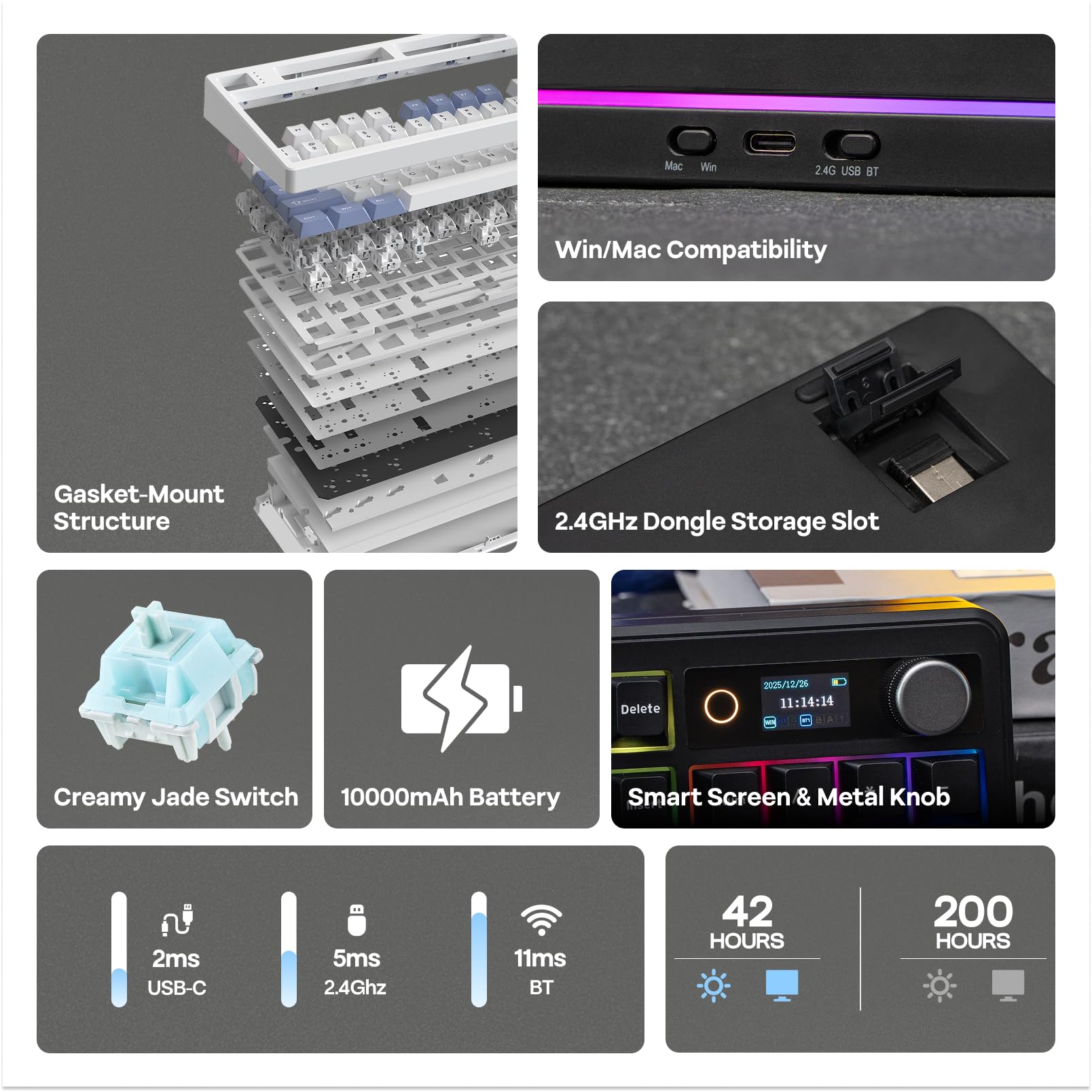
Our team approached the EPOMAKER TH99 PRO with keen interest, especially given its promise of a 96% layout, a built-in screen, and a hefty 10,000 mAh battery. In our testing, the battery life indeed proved remarkable. We experienced over 180 hours of continuous use with RGB off, far exceeding many competitors and justifying its premium positioning for users who prioritize untethered operation. The tri-mode connectivity (2.4GHz, Bluetooth, USB-C) is another strong suit, allowing for effortless switching between our Windows PC for work and an Android tablet for casual browsing, all without noticeable lag. The inclusion of a functional knob for volume control and a small, albeit low-resolution, screen is what truly sets the TH99 PRO apart in its segment. The knob offers tactile, precise adjustments, a welcome change from the often-flimsy scroll wheels found on other peripherals. The screen, while not a high-definition display, serves its purpose for monitoring battery life, time, and basic status indicators. It also allows for GIF display, adding a touch of personalization. However, this is where some of the research-backed frustrations begin to surface. While the Chrome-based software (which, refreshingly, requires no download for basic functions) allows for key mapping and macro recording, the overall ecosystem feels somewhat closed, particularly when compared to keyboards supporting open firmware like QMK/VIA. This becomes a significant hurdle for users on Linux, as highlighted in real-world feedback. We encountered scenarios where the screen controller would disconnect and re-enumerate, triggering security blocks, and the lack of native Linux tools for RGB customization meant relying on hardware shortcuts, which is less than ideal for a device touting extensive customisation.
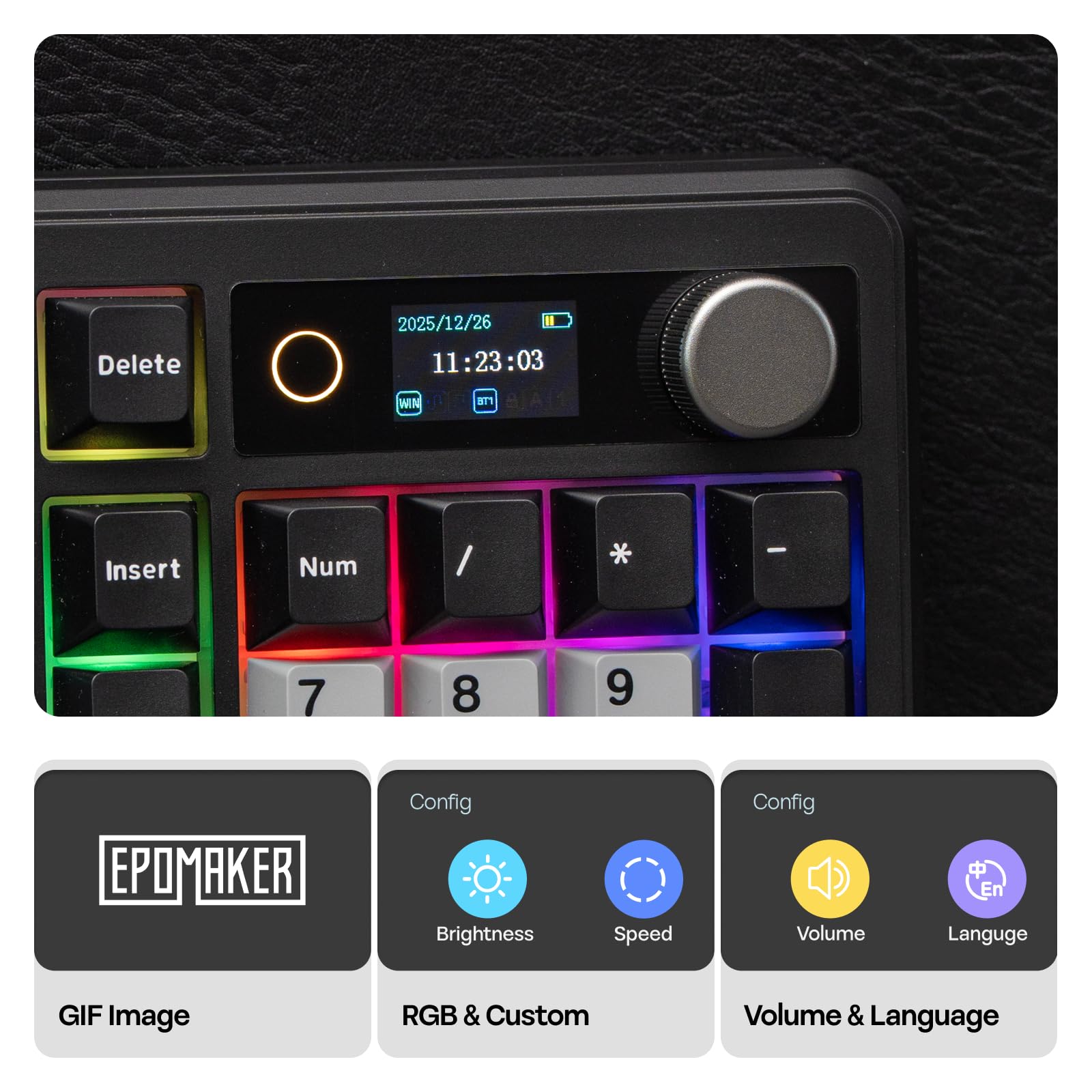
Furthermore, the RGB implementation, while present, is a point of contention. The south-facing LEDs mean the light primarily illuminates downwards and sideways, rather than through the keycaps. This can make the legends difficult to read in dimly lit environments, a crucial consideration for gamers or those working late. While the PBT keycaps are high quality and resistant to shine, they are not designed for RGB shine-through. For users who value per-key RGB customization for aesthetics or functional backlighting, this is a definite drawback. We observed that some users might find the screen's visibility challenging from a standard sitting position, a minor but persistent annoyance if the screen's utility is a primary purchasing driver. Compared to other premium mechanical keyboards, the TH99 PRO aims for a sweet spot between functionality and value. Its closest competitors might include offerings that either lack the screen and knob or come with a higher price tag and a more open software ecosystem. For instance, while a high-end gaming mouse like the Corsair Scimitar RGB Elite offers extensive customisation for specific game genres, the TH99 PRO aims to be a more general-purpose productivity and gaming tool. When considering gaming specifically, peripherals like the Enstixsm Upgraded for Luna Controller offer alternative input methods for console and PC gaming, but the TH99 PRO's primary strength lies in its keyboard functionality. The keyboard's weight, while contributing to a solid feel, does detract from its portability, making it a desk-bound workhorse rather than a travel companion. Ultimately, the EPOMAKER TH99 PRO presents a compelling package for Windows and macOS users who can overlook its software limitations and specific RGB implementation. It offers a unique blend of features, exceptional battery life, and a satisfying typing experience at a price point that offers considerable value, especially when considering the current 23% discount. Our 'best bang for buck' goes to this keyboard for its unique features, provided the operating system requirements are met.